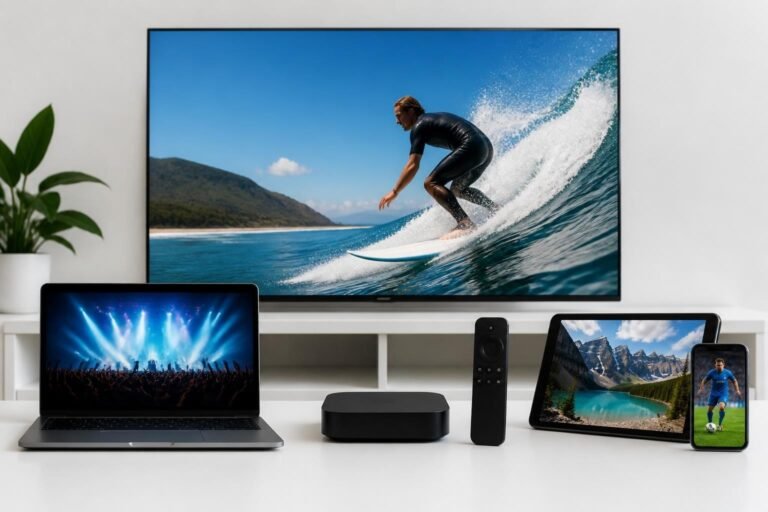
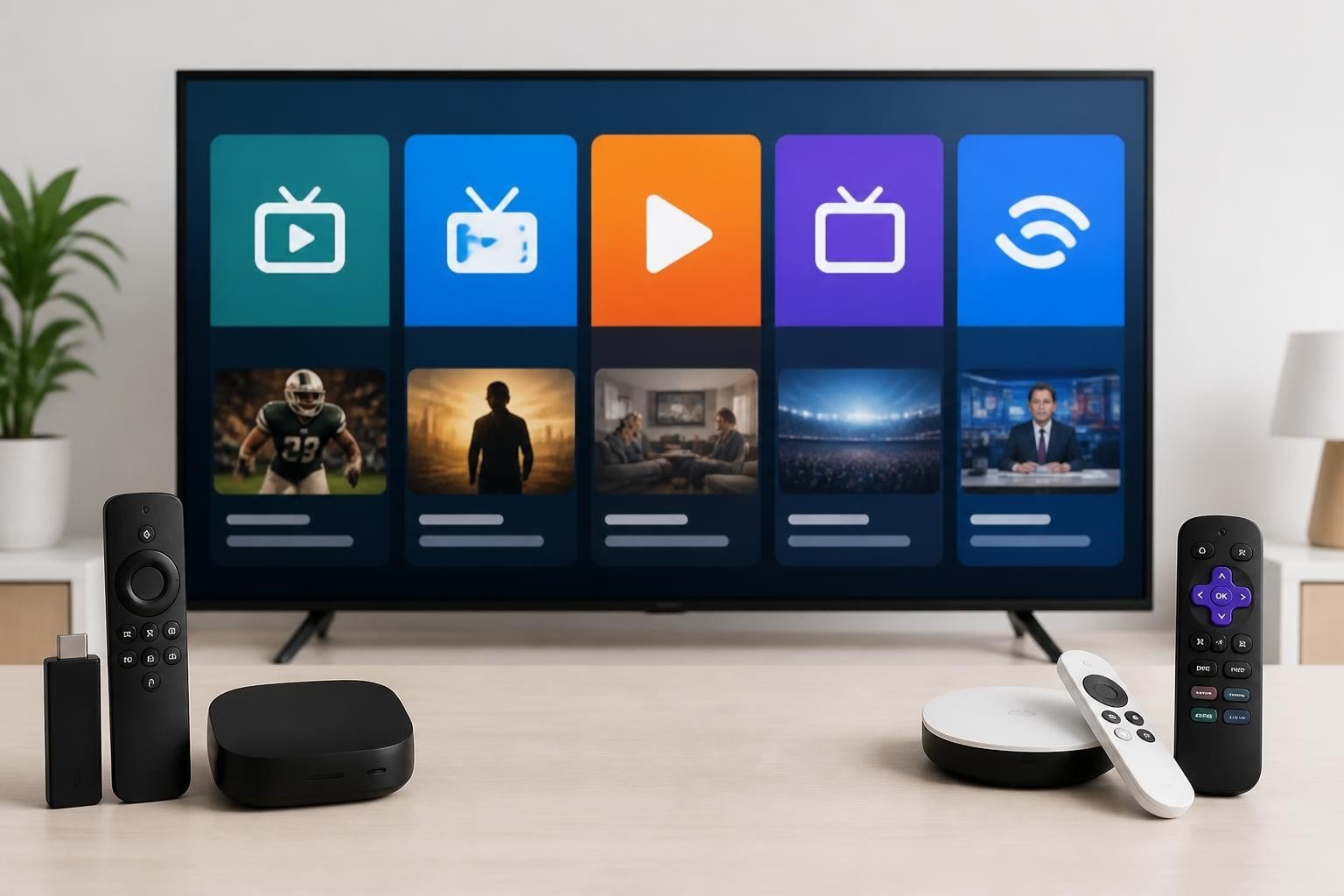
The landscape of television consumption has fundamentally transformed over the past decade, with live tv apps replacing traditional cable boxes in millions of homes worldwide. These applications provide instant access to thousands of channels, on-demand content, and premium features at a fraction of traditional cable costs. Whether you’re streaming sports, news, entertainment, or international programming, choosing the right live TV application can dramatically impact your viewing experience, budget, and overall satisfaction with your entertainment setup.
Table of Contents
- Understanding Live TV Apps and Their Evolution
- IPTV Smarters: The Industry Standard
- Tivimate: Premium Experience for Power Users
- IBO Player: Simplicity Meets Functionality
- Sparkle TV: Next-Generation Streaming
- Kodi: The Customizable Powerhouse
- Comprehensive Comparison Table
- Device Compatibility Across Platforms
- Pricing Models and Value Analysis
- Setting Up Your Live TV App
- Frequently Asked Questions
Understanding Live TV Apps and Their Evolution
Quick Answer: Live tv apps are software applications that stream television content over the internet, replacing traditional cable or satellite services with flexible, affordable alternatives that work across multiple devices.
The shift from cable television to internet-based streaming represents one of the most significant changes in media consumption history. Live tv apps have evolved from basic channel players to sophisticated platforms offering electronic program guides, DVR functionality, multi-screen viewing, and personalized content recommendations. According to comprehensive guides on live TV streaming services, the market has matured considerably, offering consumers unprecedented control over their viewing experiences.
Modern applications support various streaming protocols including HLS, RTSP, and MPEG-DASH, ensuring compatibility with diverse content sources. The technology behind these apps has advanced to include adaptive bitrate streaming, which automatically adjusts video quality based on your internet connection speed, preventing buffering and maintaining smooth playback.
Key Features That Define Quality Live TV Apps
When evaluating different platforms, several critical features distinguish exceptional applications from mediocre ones:
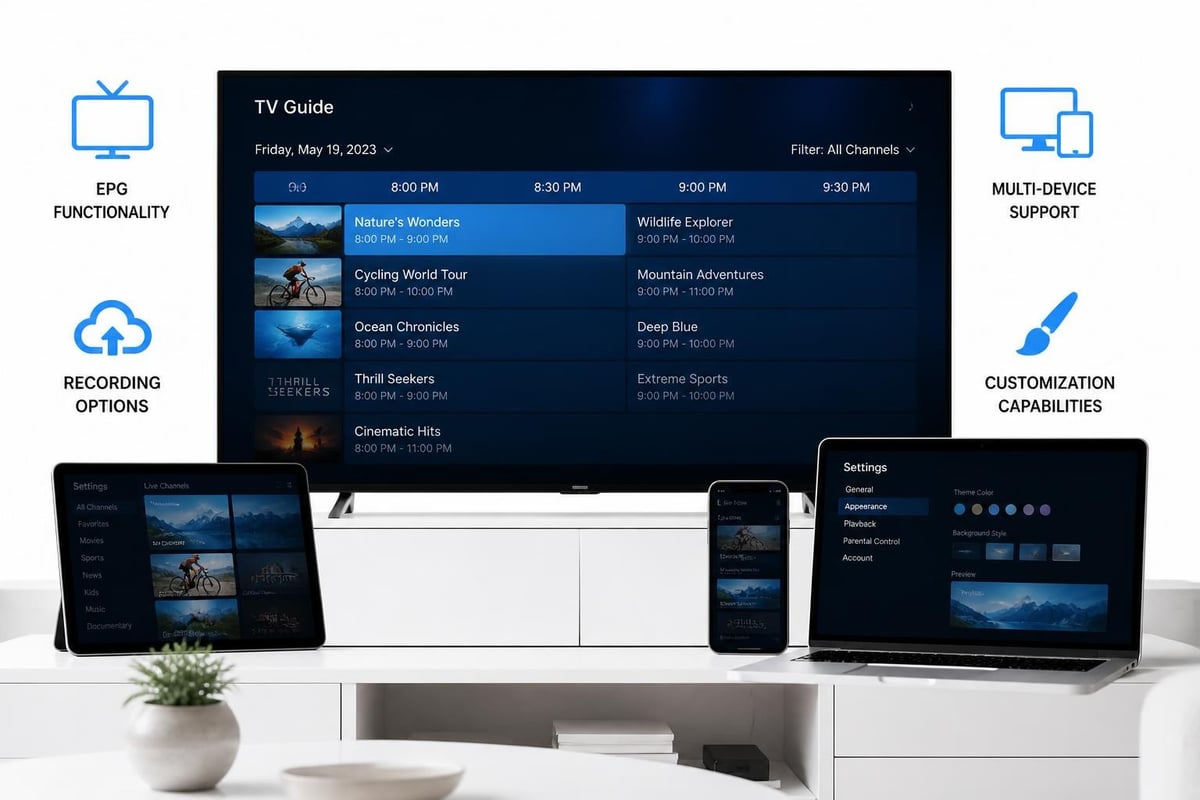
- Electronic Program Guide (EPG) with accurate scheduling information
- Multi-screen support for simultaneous viewing on different devices
- Catch-up TV functionality to watch previously aired content
- Recording capabilities for storing favorite shows
- Parental controls to restrict age-inappropriate content
- Customizable interface with favorites, categories, and search functions
IPTV Smarters: The Industry Standard
Quick Answer: IPTV Smarters is a feature-rich, user-friendly application supporting multiple playlists, EPG integration, and extensive device compatibility, making it the most widely adopted solution for IPTV services.
IPTV Smarters has established itself as the benchmark against which other live tv apps are measured. The application supports M3U URLs and Xtream Codes API, providing flexibility in how users connect to their IPTV services. Its interface prioritizes ease of use without sacrificing advanced functionality, making it suitable for both beginners and experienced streamers.
The application’s parental control system allows you to password-protect specific channels or entire categories, ensuring family-friendly viewing environments. The built-in video player supports multiple codecs and offers hardware acceleration for smooth playback even on lower-powered devices.
IPTV Smarters Features and Capabilities
IPTV Smarters distinguishes itself through comprehensive feature integration:
- Multiple playlist support allowing users to manage different IPTV services within one app
- Integrated EPG with detailed program information and scheduling
- Catch-up TV enabling access to previously aired content for supported services
- Series and movie categorization separate from live channels
- Multi-language support serving international audiences
- External player compatibility for users preferring VLC or MX Player
The application receives regular updates addressing bugs, improving performance, and adding new features based on user feedback. For those seeking IPTV for Firestick, IPTV Smarters offers optimized performance on Amazon’s streaming devices with straightforward installation procedures.
Tivimate: Premium Experience for Power Users
Quick Answer: Tivimate is a premium-focused application offering the most advanced EPG customization, picture-in-picture viewing, and recording features, ideal for users prioritizing functionality over cost.
Tivimate represents the premium tier of live tv apps, designed for viewers who demand maximum control over their streaming experience. While the basic version is free, the premium subscription unlocks features that justify the investment for serious cord-cutters. The application’s interface can be heavily customized, from color schemes to layout configurations, allowing users to create truly personalized viewing environments.
Tivimate Premium Advantages
| Feature | Free Version | Premium Version |
|---|---|---|
| Playlists | 1 | Unlimited |
| EPG Sources | Limited | Unlimited |
| Recording | No | Yes |
| Timeshift | No | Yes |
| Picture-in-Picture | No | Yes |
| TV Archive | No | Yes |
The premium version’s recording functionality stands out as particularly robust, allowing scheduled recordings, series recording, and significant storage capacity depending on device specifications. Timeshift capability lets you pause, rewind, and fast-forward live television, effectively bringing traditional DVR functionality to internet streaming.
Tivimate’s EPG customization exceeds industry standards. You can adjust time intervals, modify display density, customize colors and fonts, and configure channel logos with unprecedented precision. This level of control appeals to users who spend significant time navigating channel listings and appreciate visual optimization.
IBO Player: Simplicity Meets Functionality
Quick Answer: IBO Player balances essential features with an intuitive interface, making it the ideal choice for users who want reliable performance without complexity or configuration headaches.
IBO Player has carved out a niche by focusing on simplicity without sacrificing essential functionality. The application emphasizes stability and reliability, with minimal settings requiring adjustment. This approach particularly benefits users new to IPTV or those who prefer a “set it and forget it” experience.
The player supports both Xtream Codes and M3U playlist formats, providing flexibility in service connectivity. Its EPG integration works seamlessly, automatically matching channel listings with program information when properly configured. The interface uses large, clear icons and straightforward navigation, reducing the learning curve significantly.
IBO Player Device Support
- Android devices (smartphones, tablets, TV boxes)
- Amazon Fire TV and Fire Stick models
- Smart TVs running Android TV
- iOS devices through alternative installation methods
- Windows PCs via emulation
IBO Player’s update frequency ensures compatibility with the latest Android versions and device models. The development team prioritizes bug fixes and performance improvements over feature bloat, maintaining the application’s core philosophy of reliable simplicity.
Sparkle TV: Next-Generation Streaming
Quick Answer: Sparkle TV represents the newest generation of live tv apps with cloud-based preferences, social features, and AI-driven recommendations, targeting tech-savvy users seeking modern functionality.
Sparkle TV entered the market in 2025, bringing fresh perspectives to live TV streaming. The application leverages cloud technology to synchronize settings, favorites, and viewing history across all devices, eliminating the need to reconfigure each installation separately. This seamless multi-device experience addresses one of the primary pain points with older applications.
The social features distinguish Sparkle TV from competitors. Users can share recommendations, create viewing groups, and see what others are watching (with privacy controls). While these features may not appeal to everyone, they reflect evolving viewer preferences, particularly among younger demographics.
Sparkle TV Innovation Points
Sparkle TV introduces several technological advances:
- AI-powered recommendations learning from viewing patterns
- Cloud synchronization for settings and preferences
- Social viewing features for shared experiences
- Advanced search with natural language processing
- Automatic quality adjustment optimizing bandwidth usage
The application’s modern interface uses gesture controls and voice commands where device support allows. These features make navigation faster and more intuitive, especially on touchscreen devices and smart TVs with voice remotes.
Kodi: The Customizable Powerhouse
Quick Answer: Kodi is an open-source media center that becomes a powerful live TV platform through add-ons and PVR backends, offering unlimited customization for technically proficient users willing to invest setup time.
Kodi occupies a unique position among live tv apps due to its open-source nature and extensive customization capabilities. Rather than a dedicated IPTV player, Kodi functions as a comprehensive media center that can integrate IPTV services through PVR (Personal Video Recorder) backends and add-ons. This flexibility allows users to create completely customized entertainment systems combining local media, streaming services, and live television.
The learning curve for Kodi exceeds that of dedicated IPTV applications, but the payoff comes in unprecedented control. Users can modify virtually every aspect of the interface through skins, install specialized add-ons for specific content types, and integrate smart home controls within the same platform.
Setting Up Kodi for Live TV
- Install Kodi from the official website or app store
- Choose a PVR client (PVR IPTV Simple Client is most common)
- Configure playlist sources using M3U URLs
- Set up EPG sources for program guide integration
- Install preferred skin for interface customization
- Add supplementary add-ons for enhanced functionality
According to beginner guides for live TV streaming, Kodi requires more technical knowledge than alternatives but rewards that investment with unmatched versatility. The platform supports virtually every streaming protocol and media format, making it future-proof against technological changes.
Comprehensive Comparison Table
| App | Best For | Price | EPG Quality | Recording | Learning Curve | Device Support |
|---|---|---|---|---|---|---|
| IPTV Smarters | General users | Free | Excellent | Limited | Low | Excellent |
| Tivimate | Power users | $6.99/year | Outstanding | Excellent | Medium | Good |
| IBO Player | Simplicity | Free | Good | No | Very Low | Good |
| Sparkle TV | Modern features | Free/Premium | Excellent | Good | Low | Excellent |
| Kodi | Customization | Free | Variable | Excellent | High | Excellent |
This comparison reveals that no single application dominates all categories. Your ideal choice depends on technical expertise, budget, desired features, and primary use cases. Users valuing simplicity and reliability might prefer IBO Player, while those seeking maximum functionality gravitate toward Tivimate or Kodi.
Device Compatibility Across Platforms
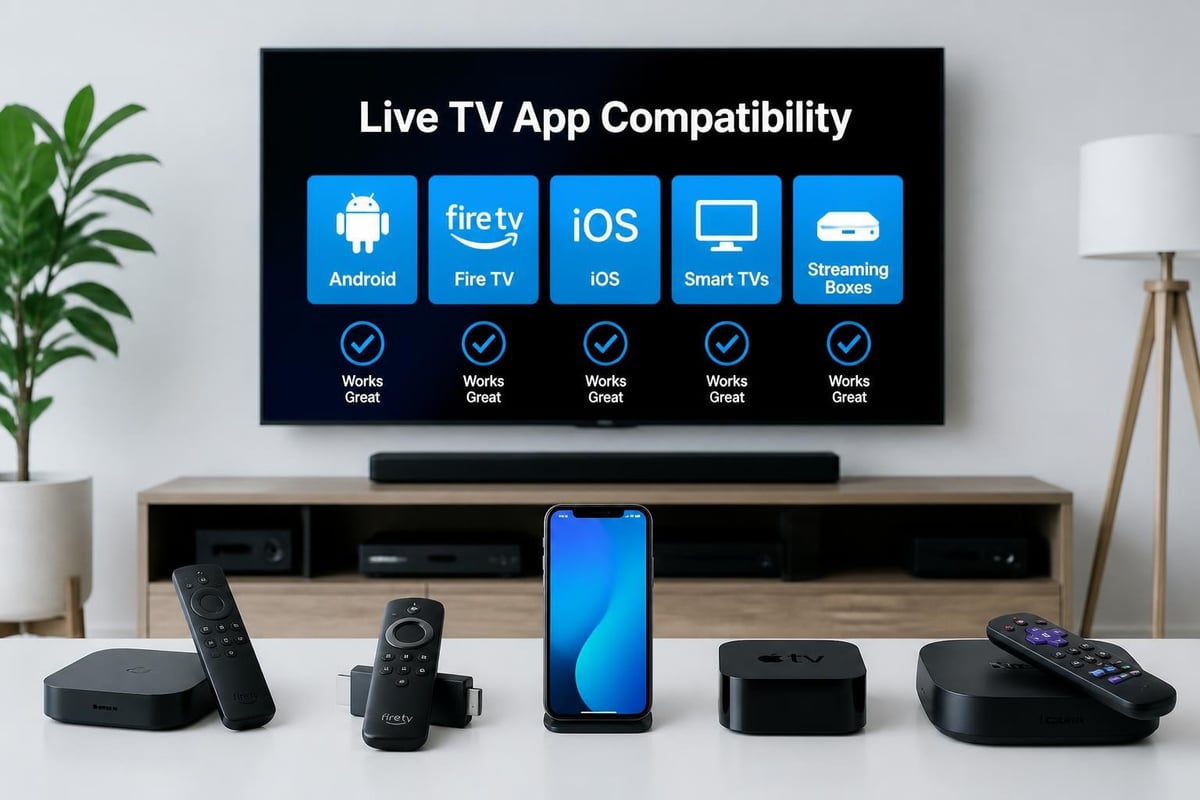
Quick Answer: Most modern live tv apps support Android-based devices comprehensively, with varying levels of support for iOS, smart TVs, and streaming devices depending on the specific application.
Device compatibility significantly impacts usability and viewing flexibility. Understanding which applications work optimally on your existing hardware prevents frustration and ensures smooth operation.
Platform-Specific Considerations
Android Devices: All major live tv apps offer native Android applications with full feature sets. Installation through Google Play Store or direct APK provides flexibility. Performance generally depends more on hardware specifications than application optimization.
Amazon Fire TV/Firestick: These devices represent the most popular IPTV streaming platforms. IPTV Smarters, Tivimate, and IBO Player all offer optimized versions for Fire TV’s interface. Installation typically requires enabling apps from unknown sources, though the process remains straightforward.
iOS Devices: Apple’s ecosystem presents more challenges for IPTV applications. IPTV Smarters offers an iOS version, but installation requires specific procedures. Other applications may require alternative app stores or workarounds.
Smart TVs: Android TV-based smart TVs from Sony, Philips, and others support most applications natively. Samsung’s Tizen and LG’s webOS require alternative approaches, often involving external streaming devices. As detailed in streaming platforms for live TV, native smart TV apps provide convenience but may sacrifice features compared to dedicated streaming devices.
Pricing Models and Value Analysis
Quick Answer: Most live tv apps offer free versions with optional premium upgrades, while the actual content costs depend on your IPTV service subscription, creating a two-tier pricing structure.
Understanding pricing for live TV applications requires distinguishing between app costs and content costs. The applications themselves are mostly free or inexpensive, but accessing quality content requires an IPTV service subscription.
Application Costs Breakdown
Free Applications:
- IPTV Smarters (all features included)
- IBO Player (full functionality)
- Sparkle TV (basic version)
- Kodi (open-source)
Premium Options:
- Tivimate Premium: $6.99/year or $24.99 lifetime
- Sparkle TV Pro: $4.99/year
- Premium add-ons for Kodi: Variable pricing
Beyond application fees, IPTV service subscriptions typically range from $10 to $30 monthly, depending on channel selection, stream quality, and additional features. Services like Apollo Group TV offer comprehensive packages with extensive channel lineups and on-demand content, compatible with all major applications.
The total cost calculation includes internet bandwidth consumption. High-definition streaming uses approximately 3-5 GB per hour, while 4K content can exceed 7 GB hourly. Unlimited internet plans become essential for heavy viewers to avoid overage charges.
Setting Up Your Live TV App
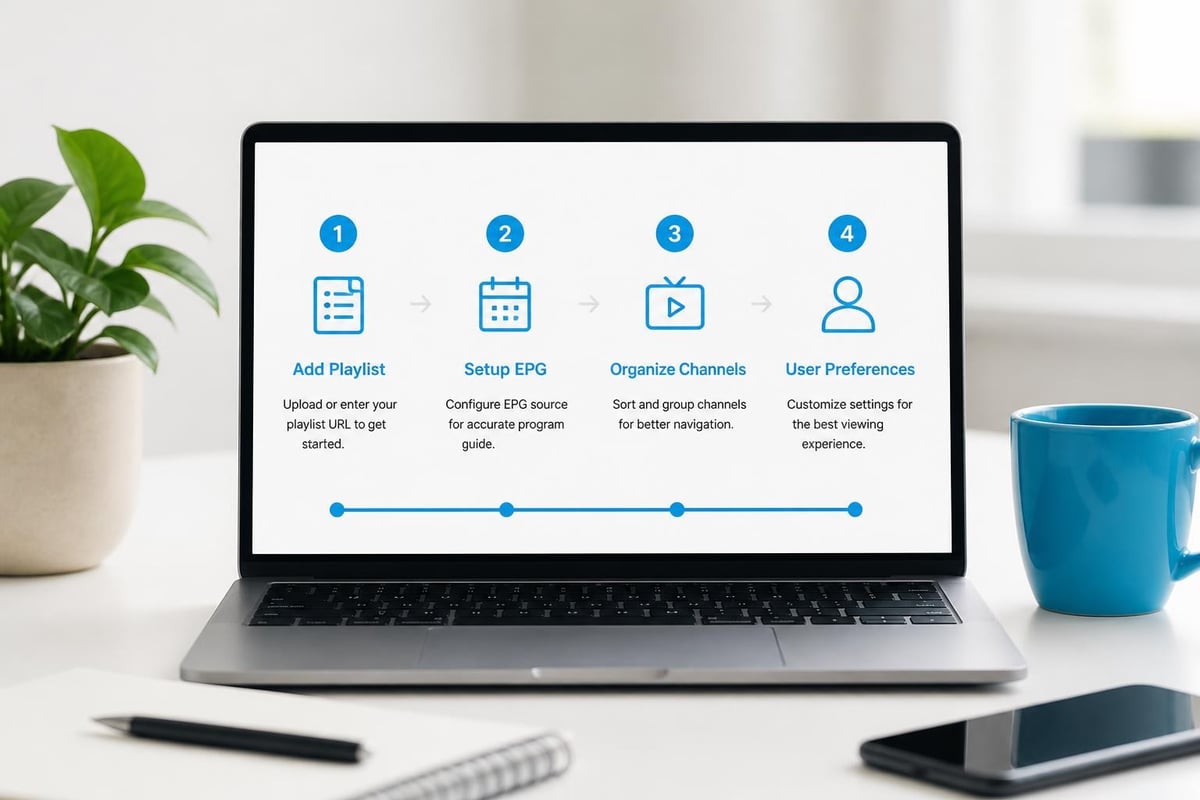
Quick Answer: Setup involves downloading your chosen app, inputting your IPTV service credentials or playlist URL, configuring EPG sources, and organizing channels according to your preferences-typically taking 10-15 minutes.
Proper configuration ensures optimal performance and user experience. While specific steps vary by application, the general process follows consistent patterns.
Universal Setup Steps
- Download and install your chosen application from the official source
- Gather credentials from your IPTV service provider (M3U URL or Xtream Codes login)
- Add playlist by entering credentials in the app settings
- Configure EPG source if not automatically provided
- Organize channels into favorites and categories
- Adjust playback settings for your device and internet speed
- Test various channels to ensure proper functionality
For users of services supporting multiple applications, testing different options helps identify which interface and features align best with personal preferences. The comparison of live TV streaming services emphasizes that user experience varies significantly between applications even when accessing identical content.
Troubleshooting Common Issues
Buffering Problems:
- Reduce stream quality in settings
- Close background applications consuming bandwidth
- Test internet speed (minimum 10 Mbps for HD recommended)
- Switch to wired ethernet connection if using WiFi
EPG Not Loading:
- Verify EPG URL is correctly entered
- Check if EPG source is currently operational
- Manually refresh EPG data
- Wait 24 hours for initial EPG population
Channels Not Playing:
- Confirm subscription is active
- Test alternative channels to isolate issues
- Update application to latest version
- Clear app cache and restart device
Frequently Asked Questions
What is the difference between live TV apps and IPTV services?
Live tv apps are software applications that play content, while IPTV services provide the actual content streams. Think of apps as television sets and IPTV services as cable providers. You need both: an application to display content and a service subscription providing channel access. Most IPTV services work with multiple applications, giving users freedom to choose their preferred interface.
Can I use multiple live TV apps with one IPTV subscription?
Yes, most IPTV services support multiple applications simultaneously. Your subscription credentials (M3U URL or Xtream Codes login) work across compatible apps. This flexibility allows you to use Tivimate on your main TV, IPTV Smarters on your phone, and IBO Player on a secondary device, all accessing the same content from one subscription.
Are free live TV apps legal to use?
The applications themselves are legal software. Legality concerns arise from content sources, not the playback application. Using live tv apps with legitimate IPTV services complies with laws in most jurisdictions. However, as research on illegal streaming services demonstrates, accessing pirated content through any application carries legal risks regardless of the software used.
Which live TV app works best for sports streaming?
Tivimate excels for sports due to its picture-in-picture capability, allowing simultaneous viewing of multiple games, plus reliable recording for games you can’t watch live. IPTV Smarters offers excellent EPG integration, making it easy to schedule recordings for upcoming sporting events. Your IPTV service quality matters more than app choice for sports, as smooth playback during live events depends primarily on stream reliability.
Do live TV apps work without internet?
No, live tv apps require active internet connections to stream content. Unlike traditional cable or satellite TV receiving broadcast signals, these applications stream data over IP networks. Downloaded content for offline viewing depends on your IPTV service offering that feature and the app supporting download functionality, which most current applications do not provide for live channels.
How much internet speed do I need for live TV apps?
Minimum recommended speeds are 10 Mbps for HD streaming and 25 Mbps for 4K content. However, households with multiple simultaneous streams need higher speeds. A family of four streaming HD content simultaneously requires approximately 40-50 Mbps minimum. According to guides on choosing live TV streaming services, internet speed represents the most common bottleneck affecting streaming quality.
Can I record shows with live TV apps?
Recording capability varies by application. Tivimate Premium offers comprehensive recording features including scheduled recordings and series recording. IPTV Smarters provides limited recording on some versions. IBO Player and Sparkle TV currently lack recording functionality. Kodi supports recording through PVR backends. Your device must have sufficient storage space for recorded content, with HD recordings consuming approximately 2-4 GB per hour.
What’s the best live TV app for beginners?
IBO Player and IPTV Smarters tie for best beginner options. IBO Player offers the simplest interface with minimal configuration required, while IPTV Smarters balances user-friendliness with comprehensive features. Both applications provide straightforward setup processes and intuitive navigation suitable for users new to IPTV streaming.
How do I choose between free and premium live TV apps?
Evaluate your specific needs against premium features. If you require multi-device synchronization, unlimited playlists, recording capabilities, or advanced EPG customization, premium versions like Tivimate justify the minimal annual cost. Casual viewers satisfied with basic playback and standard EPG can use free applications without limitations. The $7 annual cost for premium features represents minimal investment compared to overall IPTV subscription costs.
Are there live TV apps for local news channels?
Yes, several apps stream local news for free, though selection depends on your geographic location. Comprehensive IPTV services typically include major local channels from various markets. Apps like NewsON and Haystack News specialize in local news aggregation, while general IPTV applications access local channels through your service subscription.
Selecting the right live TV application significantly impacts your streaming experience, with factors like interface preferences, required features, and technical comfort levels guiding optimal choices. Whether you prioritize Tivimate’s advanced functionality, IPTV Smarters’ balanced approach, or IBO Player’s simplicity, modern live tv apps deliver cable-quality viewing at dramatically reduced costs. Apollo Group TV provides a comprehensive IPTV service compatible with all major applications discussed, offering access to over 100,000 live channels and 250,000 movies and shows through a reliable platform designed to work seamlessly with your preferred application, eliminating the need for multiple subscriptions while delivering premium entertainment experiences.