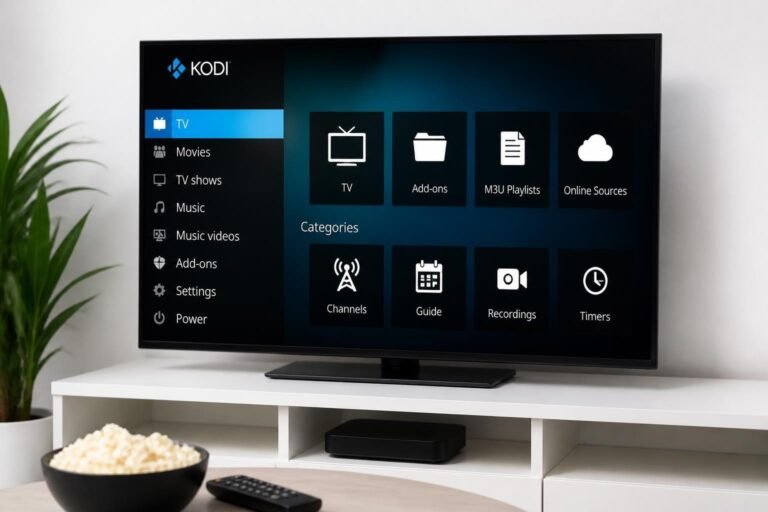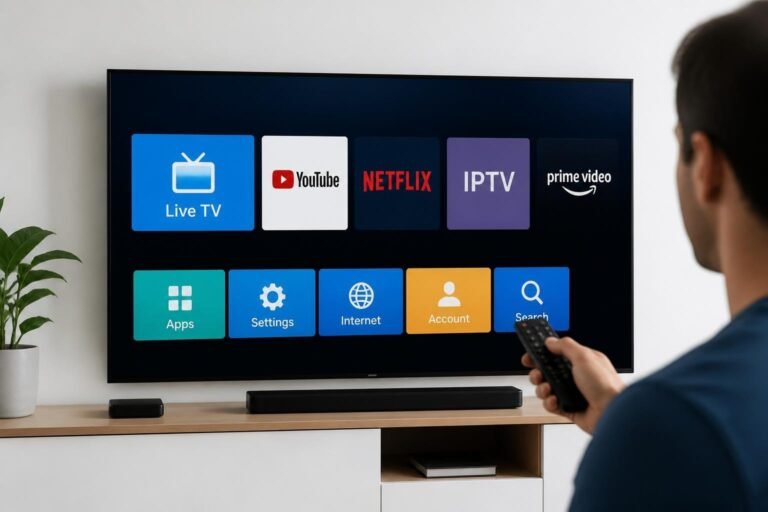
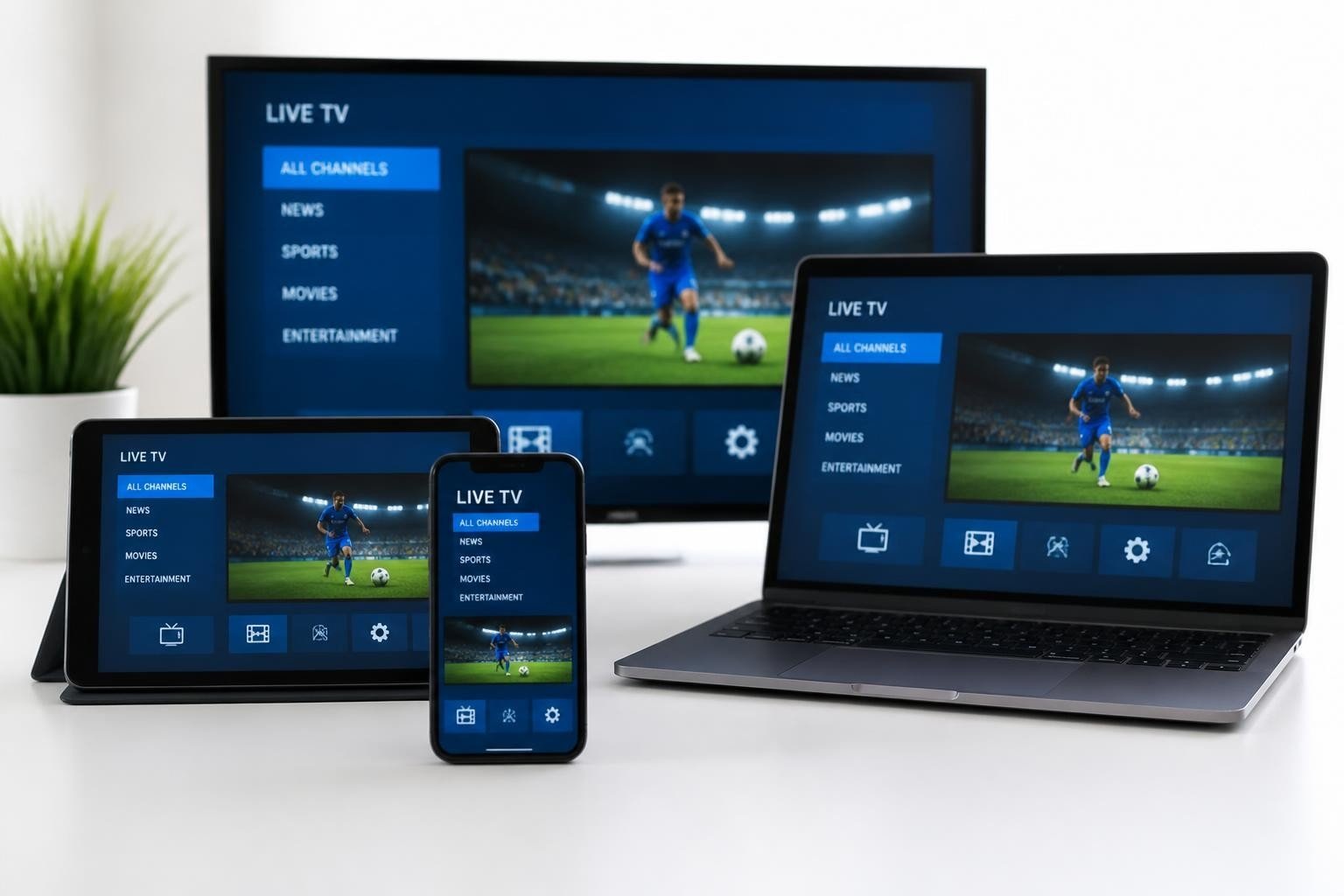
The evolution of television consumption has accelerated dramatically in recent years, with traditional cable and satellite services giving way to more flexible streaming solutions. M3U IP TV represents one of the most accessible entry points into Internet Protocol Television, offering users the ability to access live channels and on-demand content through simple playlist files. Understanding how m3u ip tv works, how to configure it properly, and which applications support it has become essential knowledge for anyone looking to modernize their entertainment setup without the complexity or expense of traditional broadcasting methods.
Table of Contents
- What Is M3U IPTV and How Does It Work
- M3U vs Xtream Codes: Understanding IPTV Formats
- Benefits and Limitations of M3U IPTV
- Compatible IPTV Applications for M3U Playlists
- How to Set Up M3U IPTV on Amazon Firestick
- Configuring M3U IPTV on Android TV Devices
- Setting Up M3U IPTV on Smart TV Platforms
- Troubleshooting Common M3U IPTV Issues
What Is M3U IPTV and How Does It Work
M3U IPTV delivers television content over the internet using M3U playlist files that contain streaming URLs for channels and on-demand content. These text-based files act as directories that tell media players where to find and how to access specific streams.
The M3U file format originated as a simple playlist format for MP3 files but has evolved into the standard format for organizing IPTV streams. An m3u ip tv playlist consists of plain text entries with specific formatting that includes channel names, stream URLs, logos, and additional metadata. Each channel entry begins with #EXTINF followed by information about the stream, with the actual URL appearing on the next line.
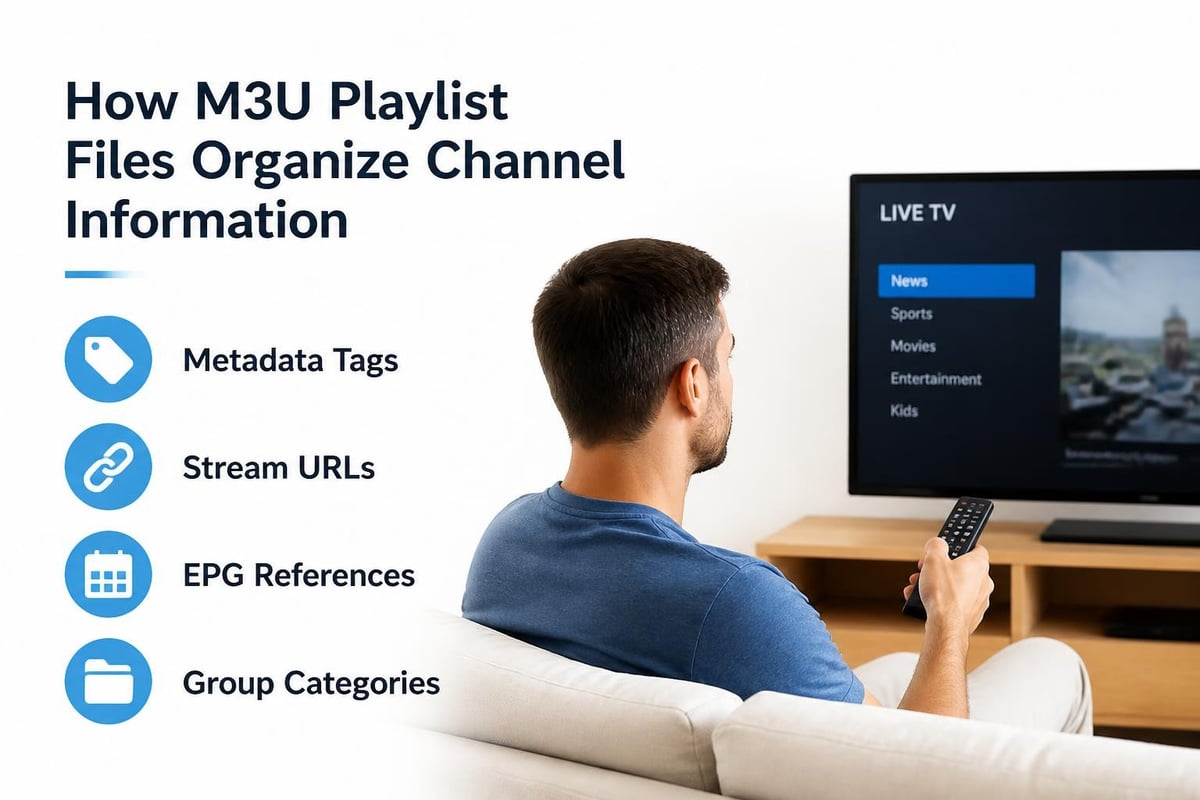
Understanding M3U Playlist Structure
When you examine an m3u ip tv file in a text editor, you’ll notice a specific pattern. The first line always contains #EXTM3U, which identifies the file as an extended M3U playlist. Each subsequent channel entry follows this structure:
- #EXTINF tag: Contains duration (-1 for live streams), channel name, and optional metadata
- Stream URL: The direct link to the video stream (HTTP, HTTPS, or RTSP protocol)
- Additional parameters: Logo URLs, group titles, EPG IDs, and other attributes
Modern m3u ip tv playlists often include enhanced metadata that improves the viewing experience. This includes Electronic Program Guide (EPG) data that provides program schedules, channel logos for visual navigation, and group categories that organize channels by type or region.
Quick Answer: What makes M3U special?
M3U playlists are universal, human-readable text files that work across virtually all IPTV applications and devices, making them the most accessible format for IPTV streaming.
M3U vs Xtream Codes: Understanding IPTV Formats
M3U uses static playlist files, while Xtream Codes employs a dynamic API-based system that provides real-time updates and enhanced features. Both formats serve the same fundamental purpose but differ significantly in implementation and capabilities.
| Feature | M3U Playlist | Xtream Codes API |
|---|---|---|
| Setup Complexity | Simple URL or file upload | Requires server credentials |
| Channel Updates | Manual playlist refresh | Automatic updates |
| EPG Integration | Separate XML file | Built-in with API |
| VOD Organization | Linear list | Categorized library |
| Server Load | Lower (static files) | Higher (dynamic queries) |
| Catchup TV | Limited support | Full support |
The primary advantage of m3u ip tv playlists lies in their simplicity and compatibility. You can create, edit, and share M3U files using any text editor, and they work with virtually every IPTV player available. This makes them ideal for users who want straightforward access to channels without complex configuration.
Xtream Codes, conversely, requires authentication credentials (server URL, username, and password) and communicates with the IPTV provider’s server in real-time. This enables features like automatic channel updates, integrated catch-up TV, and organized video-on-demand libraries. However, it requires more processing power and a stable internet connection.
When to Choose Each Format
For basic streaming needs and maximum compatibility, m3u ip tv remains the superior choice. It works offline once loaded, requires minimal resources, and can be easily backed up or shared. Services offering M3U playlists provide users with more control over their streaming experience.
For advanced features like automatic updates, extensive VOD libraries, and catch-up functionality, Xtream Codes delivers a more polished experience. Many premium IPTV providers, including comprehensive services with vast channel libraries, support both formats to accommodate different user preferences.
Benefits and Limitations of M3U IPTV
M3U IPTV offers unparalleled simplicity and device compatibility, but lacks the advanced features and automatic updates of API-based systems. Understanding these trade-offs helps users make informed decisions about their streaming setup.
Key Benefits of M3U IP TV
The accessibility of m3u ip tv makes it the preferred choice for millions of users worldwide. You don’t need specialized knowledge or technical expertise to use M3U playlists-simply load the file or URL into any compatible player and start watching.
- Universal compatibility across all major platforms and devices
- No account creation or authentication required for basic playlists
- Offline functionality once the playlist is loaded
- Easy customization through simple text editing
- Lightweight resource usage suitable for older devices
- Quick setup taking just minutes from download to streaming
Platform independence represents another significant advantage. Whether you’re using Windows, macOS, Linux, Android, iOS, or Smart TV platforms, the same m3u ip tv file works identically across all of them. This eliminates the frustration of format incompatibility that plagues other streaming solutions.
Limitations to Consider
Despite its advantages, m3u ip tv has inherent constraints that users should understand. Static playlist files don’t update automatically, meaning you’ll need to manually download new versions when providers add channels or change URLs.
- Manual updates required when streams change
- Limited EPG integration without separate XML files
- No built-in parental controls in most implementations
- Potential security concerns with unverified sources
- Lack of catch-up TV functionality
- No interactive features or two-way communication
The legitimate use of IPTV M3U playlists requires attention to content licensing and source verification. While the format itself is neutral technology, the legality depends entirely on whether the streams have proper distribution rights.
Quick Answer: Is M3U IPTV legal?
M3U as a file format is completely legal. The legality depends on the content being streamed-publicly available channels and licensed content are legal, while unauthorized streams of copyrighted content are not.
Compatible IPTV Applications for M3U Playlists
Dozens of IPTV players support M3U playlists across all major platforms, with VLC, IPTV Smarters, and TiviMate leading in popularity and features. Selecting the right application depends on your device type and desired features.
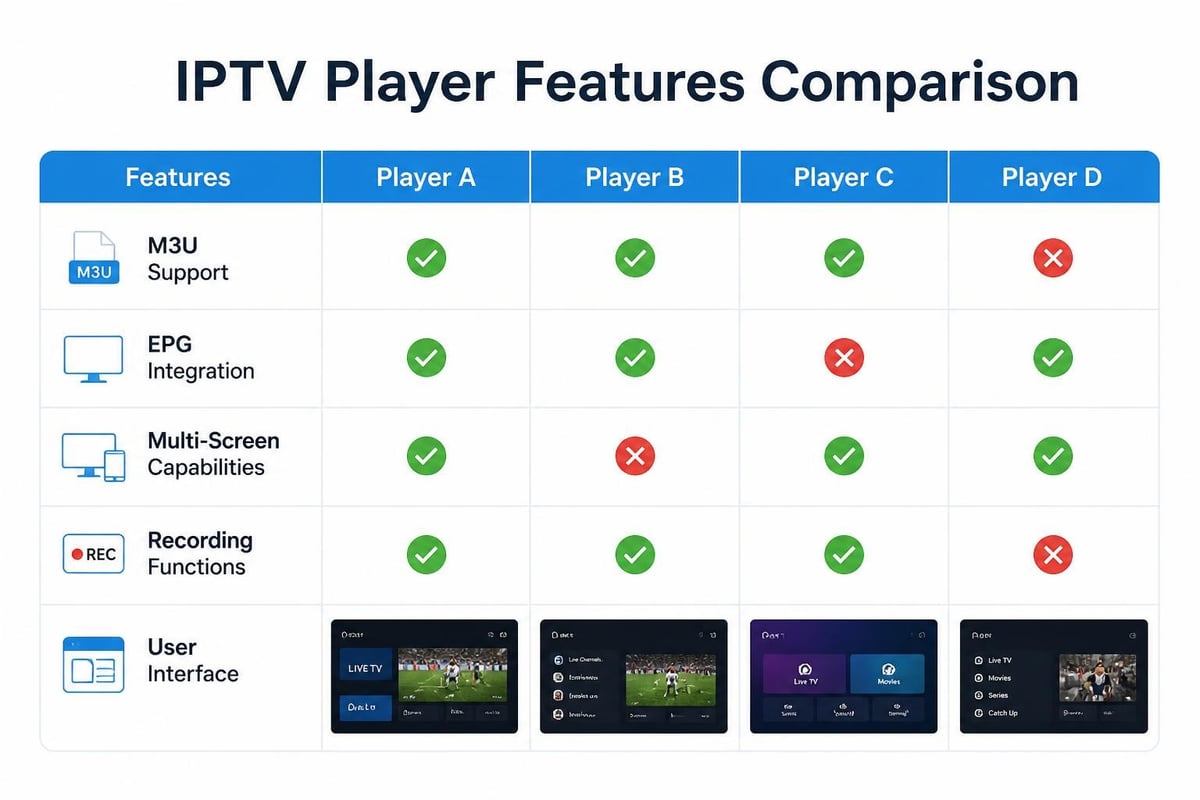
Popular M3U IPTV Players by Platform
Windows and macOS users have access to robust desktop applications that handle m3u ip tv playlists with ease. VLC Media Player remains the most versatile option, offering excellent codec support and advanced playback controls without any cost.
Android and Fire TV applications dominate the mobile and streaming device market:
- IPTV Smarters Pro: Feature-rich with EPG, parental controls, and multi-screen support
- TiviMate: Premium interface with recording capabilities and advanced playlist management
- Perfect Player: Customizable layouts with extensive skin options
- GSE Smart IPTV: Cross-platform synchronization and Chromecast support
- OTT Navigator: Professional EPG integration and playlist editing tools
iOS users face more restrictions due to App Store policies, but applications like GSE Smart IPTV and IPTV Smarters remain available and fully functional with m3u ip tv playlists.
| Application | Platforms | EPG Support | Recording | Cost |
|---|---|---|---|---|
| VLC Media Player | All | Basic | No | Free |
| IPTV Smarters Pro | Android, iOS, Fire TV | Excellent | Yes | Free/Premium |
| TiviMate | Android, Fire TV | Excellent | Yes | Premium |
| Perfect Player | Android, Fire TV | Good | No | Free |
| GSE Smart IPTV | Android, iOS | Good | Yes | Free/Premium |
Choosing the Right Player
Your ideal IPTV player depends on specific requirements. For beginners, VLC or IPTV Smarters offer intuitive interfaces with straightforward m3u ip tv setup. For power users, TiviMate provides comprehensive customization and professional-grade features worth the premium subscription cost.
Consider factors like EPG presentation quality, playlist organization capabilities, and user interface design. Services like Apollo Group TV work seamlessly with all major IPTV applications, giving users flexibility to choose their preferred viewing experience.
How to Set Up M3U IPTV on Amazon Firestick
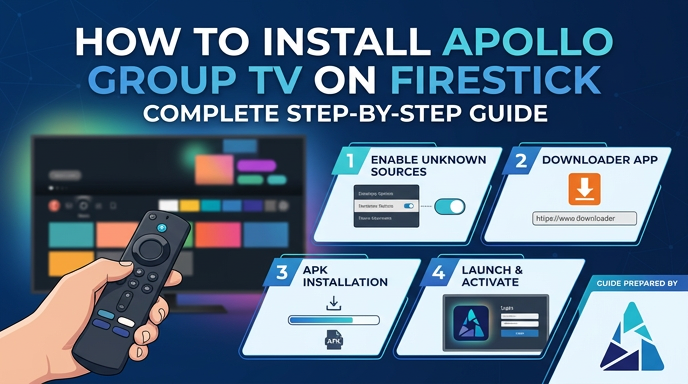
Installing M3U IPTV on Firestick requires enabling app installation from unknown sources, downloading an IPTV player, and loading your playlist URL. The entire process takes approximately 10 minutes for first-time users.
Step-by-Step Firestick Installation
- Enable Unknown Sources: Navigate to Settings > My Fire TV > Developer Options > Apps from Unknown Sources and toggle it ON
- Install Downloader: Search for “Downloader” in the Amazon Appstore and install it
- Download IPTV App: Open Downloader, enter the URL for your chosen IPTV application, and install it
- Launch the Application: Return to your Fire TV home screen and open the newly installed IPTV player
- Add M3U Playlist: Select “Add Playlist” or similar option, choose “M3U URL” as the type
- Enter Playlist Details: Input your m3u ip tv URL and assign a name for easy identification
- Load Channels: Wait for the application to parse your playlist and populate the channel list
- Configure EPG (optional): Add EPG URL if provided separately to display program guides
Quick Answer: What’s the fastest Firestick setup method?
Use IPTV Smarters Pro with the Downloader app-it offers the most streamlined installation process and supports both M3U URLs and Xtream Codes for maximum flexibility.
Optimizing Firestick Performance
Firestick devices have limited processing power and memory, making optimization essential for smooth m3u ip tv streaming. Clear cache regularly through Settings > Applications > Manage Installed Applications, selecting your IPTV app and clearing both cache and data periodically.
Network optimization significantly impacts streaming quality:
- Connect via Ethernet adapter when possible for stable bandwidth
- Position your Firestick close to your WiFi router
- Use 5GHz WiFi networks instead of crowded 2.4GHz bands
- Close background applications to free memory resources
- Restart your Firestick weekly to prevent performance degradation
For users seeking reliable IPTV streaming on Firestick devices, selecting a provider with optimized streams and anti-freeze technology eliminates most buffering issues regardless of your network conditions.
Configuring M3U IPTV on Android TV Devices
Android TV setup mirrors the Firestick process but offers more flexibility through direct Google Play Store access and sideloading capabilities. Most Android TV devices provide superior performance for m3u ip tv streaming compared to budget streaming sticks.
Android TV Installation Methods
Method 1: Google Play Store
- Open Google Play Store on your Android TV
- Search for your preferred IPTV application (TiviMate, IPTV Smarters, etc.)
- Install the application directly
- Launch and configure with your M3U URL
Method 2: Sideloading APK Files
- Enable Unknown Sources for your file manager or installer app
- Download the APK file to a USB drive or use a file transfer app
- Install using a file manager application
- Grant necessary permissions when prompted
Android TV’s superior hardware typically handles m3u ip tv playlists with thousands of channels without the performance issues that affect lower-end streaming devices. The platform’s native support for Picture-in-Picture and multi-window modes enhances the viewing experience.
Android TV-Specific Features
Modern Android TV devices running Android 10 or newer support advanced features that enhance m3u ip tv functionality. Native Chromecast integration allows streaming from mobile devices, while built-in Google Assistant enables voice control for channel navigation.
Hardware acceleration on Android TV ensures smooth playback of high-bitrate streams. Most applications automatically detect and utilize available hardware decoders, reducing CPU load and enabling 4K streaming on compatible devices.
The free and legal IPTV sources available through M3U playlists provide excellent testing material before committing to paid services, allowing you to verify your Android TV setup performs optimally.
Setting Up M3U IPTV on Smart TV Platforms
Smart TV M3U IPTV setup varies by manufacturer, with Samsung and LG requiring different approaches due to their proprietary operating systems. The complexity level depends heavily on your specific TV model and its app ecosystem.
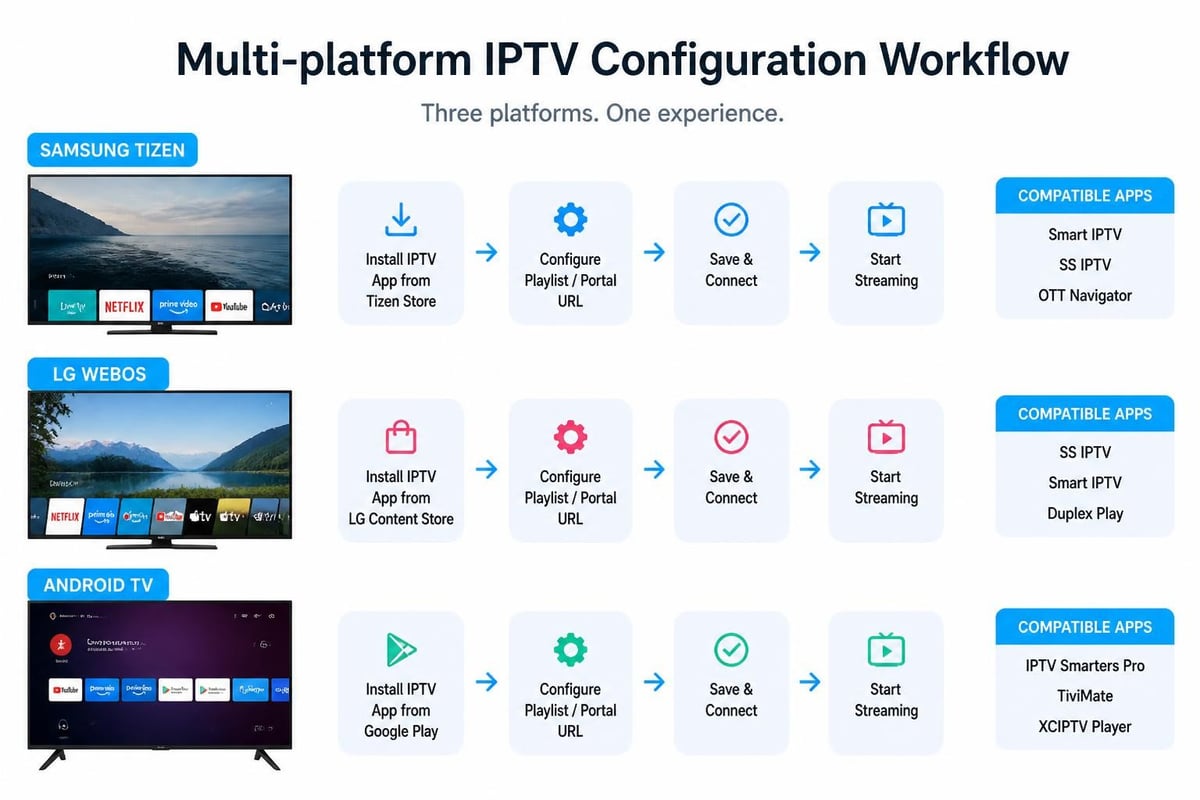
Platform-Specific Setup Guides
Samsung Tizen TVs (2016 and newer):
- Download Smart IPTV or SS IPTV from the Samsung App Store
- Launch the application and note the MAC address displayed
- Register the MAC address on the app provider’s website
- Upload your m3u ip tv playlist URL through the web interface
- Restart the application to load channels
LG webOS TVs:
- Install SS IPTV from the LG Content Store
- Open the application and access Settings
- Navigate to Content section and select External Playlists
- Add your M3U URL and assign a descriptive name
- Save settings and return to main screen to view channels
Android TV and Google TV platforms offer the most flexibility for m3u ip tv setup, supporting the full range of IPTV applications available on mobile Android devices. Simply follow the Android TV installation process outlined in the previous section.
Smart TV Limitations and Solutions
Native Smart TV applications often have restricted functionality compared to dedicated streaming devices. Many Smart TV IPTV apps lack advanced features like recording, time-shifting, or comprehensive EPG integration.
Resolution: Consider these alternatives for enhanced functionality:
- Connect an external Android TV box or Firestick for full-featured apps
- Use screen mirroring from a mobile device running advanced IPTV players
- Upgrade to newer Smart TV models with Android TV built-in
- Purchase IPTV-specific set-top boxes with comprehensive m3u ip tv support
App availability varies significantly by region and TV model year. Older Smart TVs may not support modern IPTV applications, making external streaming devices the most practical solution for accessing m3u ip tv content with current features.
Troubleshooting Common M3U IPTV Issues
Most M3U IPTV problems stem from playlist errors, network issues, or application configuration mistakes, all of which can be resolved through systematic troubleshooting. Understanding common issues accelerates problem resolution.
Channel Loading and Playback Issues
Problem: Channels won’t load or display “No data” error
This typically indicates playlist format errors or inaccessible stream URLs. Open your m3u ip tv file in a text editor and verify proper formatting-each entry should have #EXTINF followed by metadata, then the stream URL on the next line.
- Verify the M3U URL is accessible by pasting it into a web browser
- Check for special characters or encoding issues in the playlist
- Ensure your internet connection is stable and adequate speed (minimum 10 Mbps for HD)
- Try loading the playlist in a different IPTV application to isolate app-specific issues
- Contact your IPTV provider to verify the playlist URL hasn’t changed
Problem: Frequent buffering or freezing during playback
Network congestion or insufficient bandwidth causes most buffering issues with m3u ip tv streams. Test your internet speed using multiple speed test services during peak viewing hours.
Quick Answer: How much bandwidth does M3U IPTV need?
Standard definition requires 3-4 Mbps, HD needs 5-8 Mbps, and 4K streams demand 25+ Mbps. Add 50% buffer capacity for multiple simultaneous streams or network overhead.
EPG and Metadata Problems
Electronic Program Guide data enhances the m3u ip tv viewing experience but frequently causes configuration confusion. EPG information comes from separate XML files that must be properly linked to your playlist.
Resolution steps:
- Verify your IPTV provider supplies an EPG URL (usually ending in .xml or .gz)
- Add the EPG URL in your application’s EPG settings section
- Allow 5-10 minutes for the application to download and parse EPG data
- Ensure EPG IDs in your M3U file match those in the EPG XML
- Clear application cache if EPG data appears outdated
- Manually refresh EPG through your application’s settings
The research on IPTV implementation highlights how proper EPG integration significantly improves user experience and content discoverability in modern IPTV systems.
Authentication and Access Errors
Problem: “Unauthorized” or “403 Forbidden” errors
These errors indicate authentication failures or access restrictions from the stream provider. M3U IP TV playlists sometimes include expiring tokens or session-specific parameters in the URLs.
- Request a fresh playlist URL from your provider
- Check if your subscription or access period has expired
- Verify you’re not exceeding simultaneous connection limits
- Ensure your IP address hasn’t been blocked due to excessive requests
- Clear your application’s cache and reload the playlist
Problem: Playlist loads but shows no channels
Format incompatibility or parsing errors prevent the application from reading your m3u ip tv file correctly. Different applications handle non-standard M3U extensions differently.
| Issue Type | Symptom | Solution |
|---|---|---|
| Format Error | Empty channel list | Validate M3U syntax in text editor |
| Encoding Problem | Garbled channel names | Re-save playlist as UTF-8 encoding |
| URL Accessibility | All channels fail to play | Test URLs individually in browser |
| App Compatibility | Works in one app, not another | Use updated application version |
| Network Blocking | Some channels unavailable | Check firewall/VPN settings |
Audio and Video Sync Issues
Desynchronized audio represents one of the more frustrating m3u ip tv problems. This usually stems from codec compatibility issues or buffer management problems within the IPTV application.
Corrective measures:
- Adjust audio delay settings in your player (usually in advanced settings)
- Switch to a different video decoder in application settings
- Update your IPTV application to the latest version
- Try alternative IPTV players to determine if it’s application-specific
- Report persistent sync issues to your IPTV provider for stream optimization
Advanced users can examine stream details to identify codec mismatches. VLC Media Player’s codec information tool reveals whether your device supports hardware decoding for the specific video and audio codecs in use.
Playlist Update and Maintenance
Regular m3u ip tv playlist maintenance prevents many common issues before they occur. Unlike API-based systems, M3U playlists require manual updates when providers modify stream URLs or add new channels.
Best practices for playlist management:
- Set calendar reminders to check for playlist updates monthly
- Maintain backup copies of working playlists
- Test new playlists before replacing your current version
- Use M3U playlist editors to customize and organize channels
- Subscribe to provider notifications about playlist changes
- Verify playlist integrity after any modifications
Understanding the publicly available IPTV resources helps troubleshoot whether issues originate from your specific provider or represent broader technical problems affecting m3u ip tv streaming generally.
Understanding how M3U IPTV works, selecting compatible applications, and properly configuring your devices transforms your television viewing experience with unprecedented flexibility and control. Whether you’re setting up m3u ip tv on a Firestick, Android TV, or Smart TV platform, following systematic installation procedures and troubleshooting approaches ensures reliable streaming performance. Apollo Group TV eliminates the complexity of managing M3U playlists by offering comprehensive IPTV service with anti-freeze technology, multi-device streaming support, and seamless compatibility across all platforms-delivering over 100,000 live channels without the hassle of manual updates or technical configurations.